RestViz
Project Overview
RestViz is a middleware-driven developer tool that transforms APIs into self-documenting, testable, and observable systems. Instead of relying on separate tools for documentation, testing, and monitoring, RestViz unifies these into a single workflow.
What if your API could document, test, and explain itself — in real time?
Instead of manually writing and maintaining API documentation in external tools, RestViz allows developers to define useful route metadata in a route.json file, This keeps documentation closer to the code, easier to update, and more accurate as the API changes.
The project is designed to be simple, fast, and practical for real backend development. Developers can install RestViz, plug it into an Express app, and instantly get a visual overview of available routes, request structures, notes, responses, and testing capabilities.
Architecture
RestViz operates across three layers:
1. Middleware (Core Engine)
Captures request/response data and route metadata in real time.
2. Local UI
Provides interactive API docs and testing — no external tools required.
3. Cloud Sync (Workspaces): in-progress
Optional layer that syncs API state for collaboration and history tracking.
Key Features
- Automatic API route visualization for Express applications
- Support for route metadata such as descriptions, notes, request bodies, parameters, and response examples
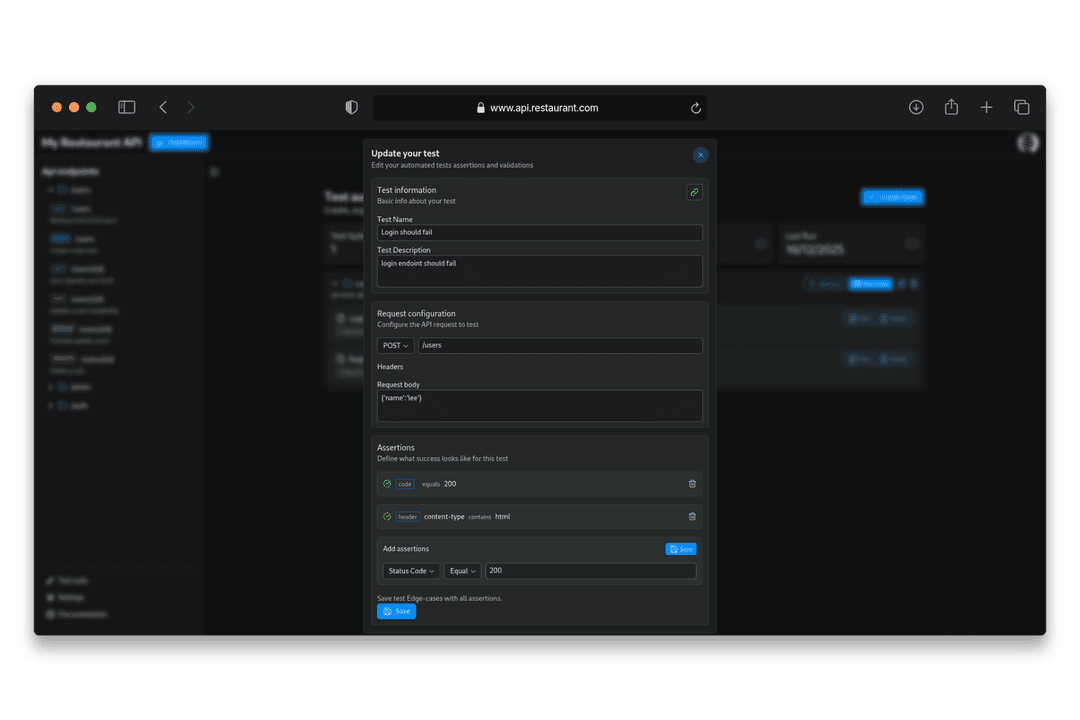
- Interactive API testing directly from the documentation interface
- Support for multiple HTTP methods including
GET,POST,PUT,PATCH, andDELETE - Custom headers input for testing protected or configured endpoints
- Live request sending using
fetch - Clean developer-friendly UI for viewing and testing APIs
- Support for nested Express routers
- Express v5 alpha compatibility
- TypeScript support through custom type definitions
- Middleware-based architecture for simple integration
Example Usage
import { init, Options, Theme } from 'restviz'const app = express()const theme: Theme = 'light'const options: Options = {title: 'My API Documentation', // Set a custom title for the web interfacetheme: 'dark', // Choose between "light" or "dark" theme}app.use(init(express, options))